
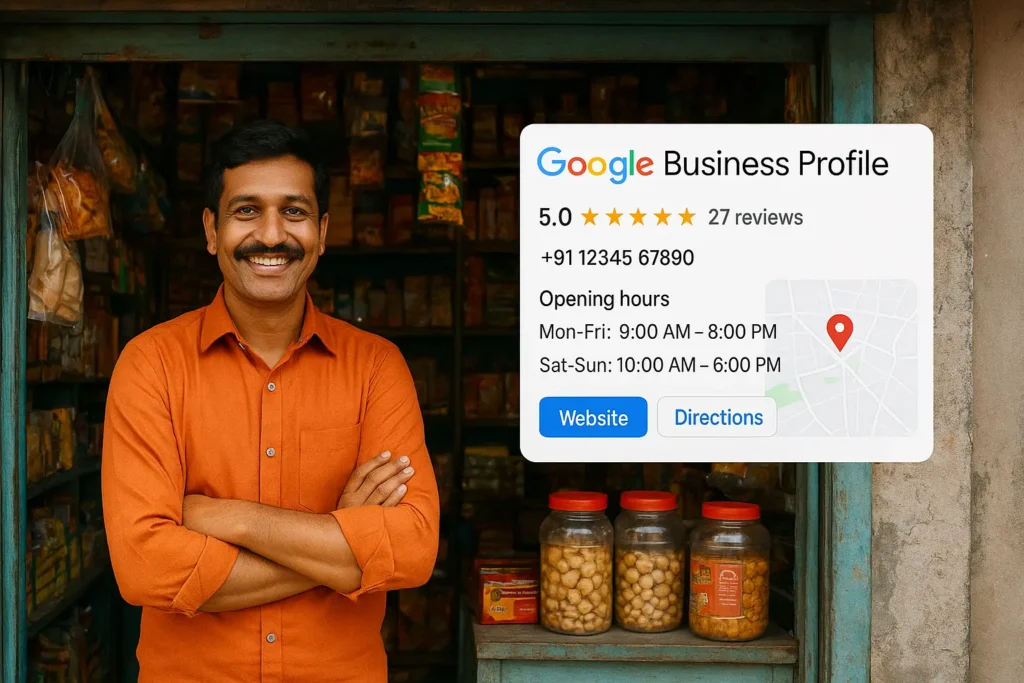
I have a confession: until recently, I had never thought about Google Business Profile. Like many small business owners, I relied heavily on B2B websites, domestic and international directories, and industry listings to promote my business. I thought that was enough to get noticed.
But then reality hit me. While searching for products and services myself, I repeatedly came across businesses with perfectly detailed Google listings—showing opening hours, contact numbers, website links, photos, and even reviews. Every time I saw them, I asked myself: “Why didn’t I use this before?”
This was my eye-opening moment. In a world where customers turn to Google first, relying solely on B2B directories is no longer enough. That’s where the Google Business Profile (GBP) comes in—and why it’s an absolute game-changer for MSMEs and small businesses.
You may also like to read: E-commerce in 2025: A Guide for MSMEs and Startups to Build a Successful Online Business
What Exactly is a Google Business Profile?
A Google Business Profile is the official profile of your business on Google. It allows your business to appear in Google Search and Google Maps with:
- Name, address, and phone number
- Website link
- Photos and videos
- Customer reviews and ratings
- Map location
In short, it’s the first impression your customers see when searching for your products or services.
Clarifying the Confusion: Account, Listing, Page
These terms are often used interchangeably but have distinct meanings:
- Google Business Account: Your administrative account used to manage one or more Google Business Profiles.
- Google Business Listing: The public-facing information derived from your profile that appears in search results.
- Google Business Page: The interactive online page of your profile where customers can see posts, offers, reviews, and engage with your business.
Think of it this way: you manage the profile via your account, the listing is what customers see, and the page is where they interact.
Why Google Business Profile is Essential for MSMEs
- Boosts Local Visibility: Your business appears when customers search for related products or services nearby.
- Builds Trust Instantly: Verified information, reviews, photos, and hours make customers more confident choosing your business.
- Enhances Local SEO: Critical for shops, services, and MSMEs looking to capture local customers.
- Cost-Effective Marketing: Unlike paid B2B listings, Google Business Profile is completely free and highly effective.
- Customer Engagement: Post updates, offers, events, and respond to reviews—all in one place.
My Honest Realization
I’ll admit it: I ignored Google Business Profile for too long, thinking B2B portals and online marketplaces were sufficient. Now I see the missed opportunities:
- Local customers searching for quick info may never find me through B2B directories.
- Competitors with well-managed Google profiles are capturing attention and sales.
- Showing accurate business hours, location, and reviews directly on Google Search or Maps is incredibly convenient for customers.
For MSMEs, this is not just another listing—it’s a powerful tool to attract, convert, and retain customers.
Getting Started is Simple
- Sign in or create a Google Business Account.
- Claim or add your business on Google.
- Verify your business via postcard, call, or email.
- Fill in accurate info: address, contact, website, hours, photos.
- Regularly post updates, offers, and respond to reviews.
Even a basic profile with accurate contact info and opening hours can significantly impact customer discovery and trust.
Google Discover-Friendly Image Prompt
“Photo-realistic 16:9 image: A smiling Indian MSME owner standing at the entrance of a small shop. Overlay shows a Google Business Profile with contact info, opening hours, reviews, and map location. Bright, modern visuals highlighting digital visibility and business growth.”
Frequently Asked Questions (FAQ)
Q1: What is a Google Business Profile?
A: It’s your business’s official profile on Google, showing details like name, address, phone, website, reviews, photos, and maps location.
Q2: Is it free?
A: Yes, creating and managing a Google Business Profile is completely free.
Q3: How does it help MSMEs?
A: It boosts local visibility, builds trust, enhances local SEO, enables customer engagement, and acts as a cost-effective marketing tool.
Q4: What’s the difference between profile, listing, and page?
A: The profile is what you manage; the listing is what customers see; the page is interactive for engagement.
Q5: Can one account manage multiple locations?
A: Yes, your Google Business Account can manage multiple profiles for different location